Somewhere along the way, mobile contracts turned into a game of gigabyte one-upmanship — 100GB! Unlimited! “Never worry again!” — while most of us quietly use a fraction of what we pay for. The average UK smartphone user burns through around 8–10GB a month, yet huge numbers of us are on 50GB, 100GB, or unlimited plans, overpaying by £10–£20 a month for data that evaporates unused on the last day of the billing cycle. Working out how much data you need on a mobile plan in the UK takes ten minutes and can save you £150+ a year. Here’s how to do it properly.
How much data mobile plan UK: what things actually use
The mobile industry thrives on vagueness about data usage, so let’s put real numbers on it. These are approximate per-hour figures:
- Web browsing & social media scrolling: 100–200MB/hour (photos and autoplay videos push it higher)
- Music streaming (Spotify, normal quality): ~40MB/hour
- Video calls (WhatsApp/Zoom): 300–500MB/hour
- YouTube/Netflix (HD): 1–2GB/hour — the big one
- YouTube/Netflix (SD): ~500MB/hour
- Google Maps navigation: ~50MB/hour (maps are mostly downloaded once)
- Online gaming: surprisingly little — 50–100MB/hour (it’s the latency that matters, not data)
- Software updates & cloud photo backup: the silent killers — set these to WiFi-only and stop worrying
Notice what’s not expensive: messaging, email, maps, music, and general browsing barely register. Video is the only thing that moves the needle — an hour of HD Netflix on the train every weekday is ~40GB a month by itself, while someone who mostly uses WiFi at home and work might use 3GB.
How to check your real usage
Don’t guess — measure. Both platforms make it easy:
- iPhone: Settings > Mobile Data, scroll down to see per-app usage for the current period. Tap “Reset Statistics” on the first of the month and check again in 30 days for a clean figure.
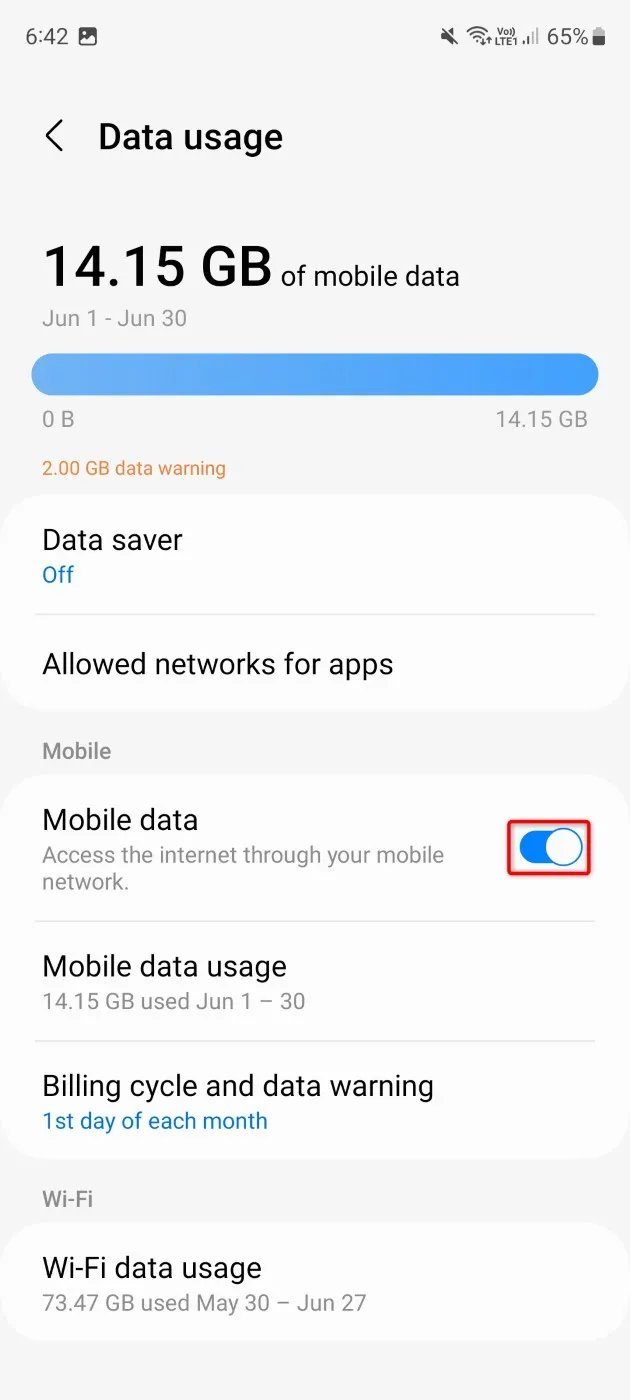
- Android: Settings > Network & Internet > SIMs > App data usage — shows a tidy graph by app.
- Your network’s app: most show monthly usage history going back several months — the most honest picture, since it includes everything.
Take your highest month from the last three, add a 30% buffer for growth, and that’s your target. Most people land in one of three bands: light users (2–5GB), moderate users (8–20GB), and heavy users (30GB+). Be honest about which you are — paying for “just in case” gigabytes is the most expensive kind of insurance there is.
Matching usage to the cheapest plan
Once you know your number, the savings open up:
- Under 5GB: SIM-only deals from £5–£8 a month (see our cheap SIM-only deals for light users). There’s no reason to pay more.
- 8–20GB: the sweet spot — £8–£12 a month from the budget networks (Smarty, Voxi, Giffgaff, Lebara). The big networks charge double for the same allowance; the coverage is the same masts.
- 30GB+: unlimited plans start around £16–£20 on the budget networks. Only worth it if you genuinely tether a laptop regularly or have no home broadband — see using your phone as a hotspot if that’s your situation.
Two traps to avoid: contract handset deals that bundle an expensive phone with far more data than you need (buy the phone separately, get a cheap SIM), and “unlimited” plans with speed caps or fair-use limits — read the small print, because throttled unlimited is worse than generous capped.
Cutting usage without cutting enjoyment
Rather than buying more data, most people can painlessly use less:
- Download before you leave: Netflix, iPlayer, Spotify, and podcasts all let you download over WiFi. A downloaded episode uses zero mobile data.
- Drop streaming quality on mobile data: YouTube and Netflix both have “data saver” modes — on a phone screen, the difference between 720p and 1080p is negligible.
- Set backups and updates to WiFi-only: cloud photo backup and app updates are the classic “where did 6GB go?” mystery. Lock them to WiFi in settings.
- Use WiFi calling and messaging: WhatsApp calls over WiFi are free and don’t touch your data allowance.
Going abroad? The rules change entirely — roaming charges can turn a relaxed holiday into a horror story. Read how to reduce mobile data usage while travelling abroad before you fly.
Ofcom’s consumer guides explain your rights when switching (including keeping your number via text-to-switch), and MoneySavingExpert’s mobile section tracks the cheapest current deals far better than any static article can.
Family plans and data sharing: worth it?
If you’re sorting data for the whole household, family or multi-SIM plans deserve a look. Several networks now let you share one data pool across multiple SIMs — handy when one person uses 2GB and another uses 25GB, since the light user’s unused data offsets the heavy user’s overages. EE, Vodafone, and Smarty all offer versions of this, typically saving 10–20% versus separate plans.
The maths only works if you’ve measured everyone’s usage first (see above) — a shared 60GB pool is great value for a family of four light-to-moderate users, but pointless if three of you are on WiFi all day and the fourth needs unlimited. Also check whether the “free” extra SIMs come with the same speeds and perks as the main one; some family plans quietly throttle secondary lines. And remember: teenagers’ usage grows every year as video replaces everything — build in headroom or prepare for the annual “I’ve run out of data” conversation.
The roaming question: using your data abroad
Most UK plans include EU roaming at no extra cost, but the fair-use limits catch people out. “Unlimited” data usually caps at 25–30GB abroad, and some networks charge a couple of pounds a day in Europe now. Always check your provider’s roaming page before you fly — the daily charges are avoidable if you know they exist.
For longer trips, a local eSIM is often cheaper than any UK add-on. Providers like Airalo sell 5GB European data packages for under a tenner, and setup takes five minutes over hotel WiFi. Just remember to switch your data line back when you land, or you’ll keep paying for an eSIM you no longer need.
And turn off automatic app updates and cloud photo backup while roaming. Nothing eats a holiday data allowance faster than your phone quietly uploading 200 photos to iCloud over a Spanish 4G connection.
The practical takeaway
Check your actual usage in settings or your network’s app, take the highest recent month, add 30%, and buy exactly that — no more. For most people that’s 5–20GB, costing £5–£12 a month on a SIM-only deal from a budget network. Download entertainment over WiFi before leaving the house, lock backups to WiFi-only, and pocket the £100–£200 a year you were donating to your network for gigabytes you never touched.