There is a particular satisfaction in pressing the power button on a PC you built yourself — a machine assembled from parts you chose, for games you love, at a price no prebuilt system could match. But between watching a build guide on YouTube and actually gaming on your own rig lies a stretch of research, shopping, assembly, and troubleshooting that intimidates most beginners. How long does it really take?
The honest answer: from complete beginner to gaming on your own budget build takes most people two to four weeks of spare-time effort, with the actual assembly taking a single afternoon. But “real results” — the moment the PC stops being a project and starts being your gaming PC — arrives in stages. Here is the realistic timeline, what each stage involves, and how to avoid the traps that stretch a fortnight’s project into a three-month saga.
Stage 1: Research (3–7 Days)
This is where most of the calendar time goes, and it is also where beginners either save or waste the most money. A budget gaming PC in 2026 means roughly £500–£700 for a machine that handles 1080p gaming comfortably — and the parts market rewards the patient.
Your research has one job: produce a parts list where everything is compatible. The non-negotiables are CPU, motherboard (matching socket), RAM (matching type — DDR4 or DDR5), graphics card, storage (an NVMe SSD, non-negotiable in 2026), power supply (never cheap out here — a bad PSU can kill every other component), and a case that fits it all. Tools like PCPartPicker’s compatibility checker flag mismatches automatically and track UK prices across retailers — it is the single most valuable free tool in PC building.
The classic beginner trap is analysis paralysis: watching forty GPU comparison videos instead of picking one. Set a deadline. Three to seven days of evenings is enough. At the budget tier, the differences between neighbouring options are small; having a PC beats having the theoretically optimal PC.
Stage 2: Buying Parts (3–10 Days)
Once the list is final, ordering takes minutes — delivery takes days. UK builders are well served: Scan, Overclockers UK, CCL, and Box all compete aggressively, and Amazon UK fills gaps. Budget builders should watch for sales, but do not wait months for the perfect deal; prices at the budget tier move in tens of pounds, not hundreds.
One money-saving route beginners overlook: the second-hand market. A used graphics card from a reputable seller can cut £100+ off a build, though it demands more knowledge to buy safely — much like checking a second-hand console before buying, you need to know what questions to ask. For a first build, new parts with warranties are the calmer path.
Stage 3: Assembly (One Afternoon, 3–5 Hours)
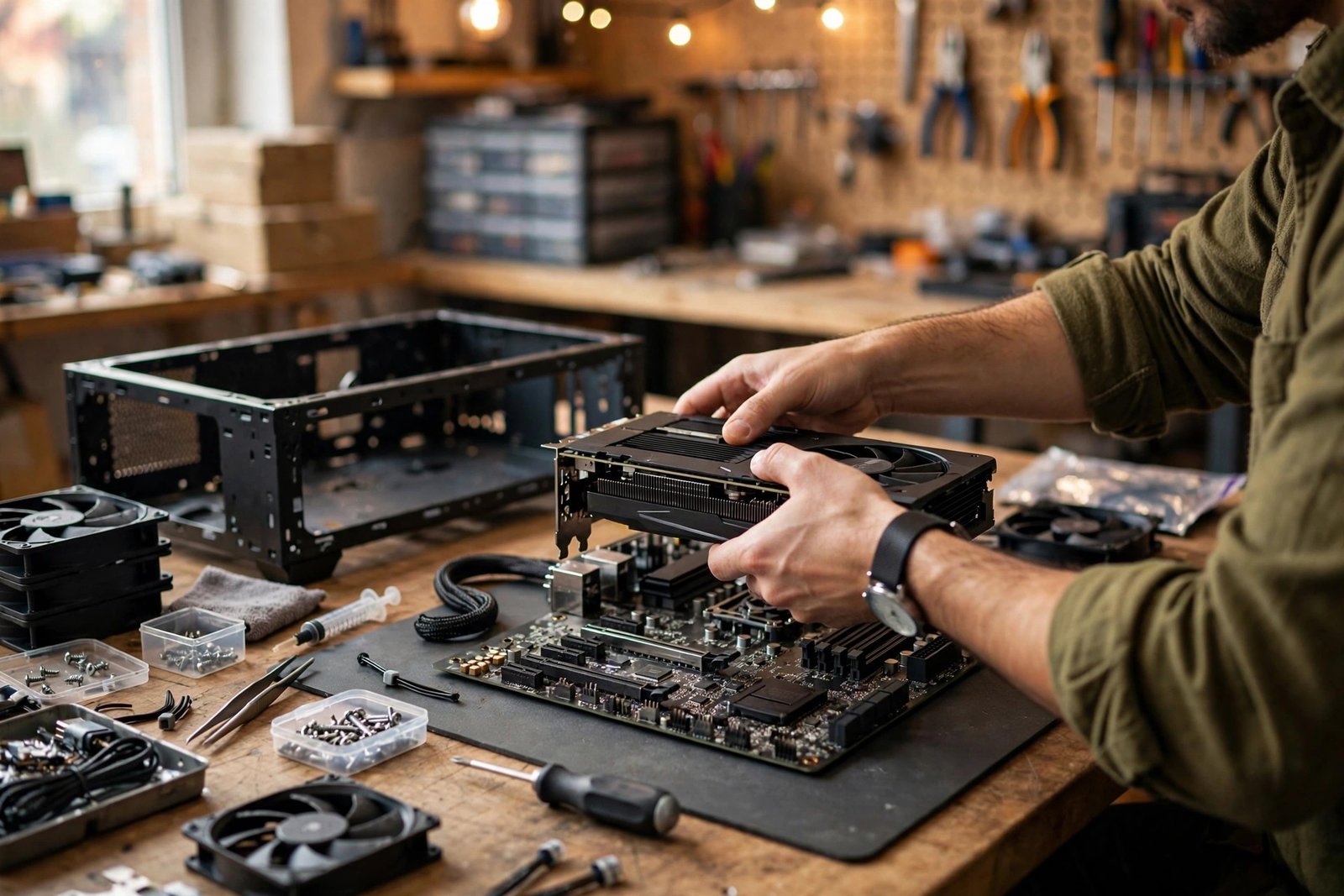
Here is the surprise: building the PC is the fastest stage and the least scary. Modern components are remarkably beginner-proof — connectors are keyed so they only fit one way, manuals are clear, and a thousand video guides walk through every step. The realistic first-build timeline is three to five hours including cable management and the inevitable moment of staring at the motherboard manual.
The steps in order: install CPU, cooler, and RAM on the motherboard before it goes in the case; mount the motherboard; install the power supply and route cables; add storage and graphics card; connect front-panel headers (the fiddliest five minutes of the build); double-check everything; press power. If it posts on the first try — and most do — you will feel disproportionately proud. If it does not, the fix is almost always a loose cable or a RAM stick not fully seated, not a dead component.
Stage 4: Setup and Troubleshooting (1–3 Days)
A built PC is not yet a gaming PC. Installing Windows (or your OS of choice) — grab it from Microsoft’s official Windows download page — plus drivers, especially GPU drivers from NVIDIA’s official driver downloads or AMD’s equivalent, and essential software takes an evening. Then comes the part nobody warns you about: the settling-in period. Your first week involves small frictions — a game that stutters until you update a driver, fan curves that need tuning, a monitor running at 60Hz until you enable 144Hz in settings.
This is also when you learn the maintenance habits that keep a budget PC fast: keeping drivers current, managing startup programmes, and monitoring temperatures. Many of these overlap with general PC care — speeding up a slow Windows 11 machine covers principles that apply equally to your new desktop.
When Do “Real Results” Arrive?
Define results honestly and the timeline clarifies. First boot: one afternoon — the emotional payoff. Gaming comfortably: one to two weeks — drivers settled, settings dialled in, library installed. True ownership: one to two months — you have upgraded something, fixed something, and stopped thinking of it as a project. That last stage is the real result: the moment the PC becomes invisible and the games become the point.
The total calendar time for most beginners: two to four weeks from decision to comfortable gaming, at a pace of a few evenings a week. Rush it and you overpay or mismatch parts; drag it out and enthusiasm dies. The builders who finish fastest are not the most technical — they are the most decisive.
What £500–£700 Actually Buys in 2026
Beginners often wonder whether a budget build is “real” gaming or a compromise too far. In 2026, £500–£700 buys a genuinely capable 1080p machine: smooth 60fps+ in competitive titles like Valorant and Fortnite, and very playable 60fps at medium-high settings in demanding single-player games. You will not max out ray tracing at 4K — that is £1,200+ territory — but you will play every major release comfortably. The upgrade path is the hidden value: a well-chosen budget build accepts a better graphics card or more RAM in two years, extending its life to five or six. That longevity is something no console generation offers mid-cycle.
Mistakes That Add Weeks
Three errors inflate the timeline. Buying parts piecemeal over months — prices shift, return windows expire, and you cannot test anything until everything arrives. Buy within a week or two. Skipping the compatibility check — a DDR5 board with DDR4 RAM ordered by mistake costs a week of returns. Ignoring the power supply — the unglamorous box that, if undersized or unreliable, causes crashes you will chase for weeks before suspecting it. Allocate £60–£80 for a reputable 550–650W unit and never think about it again.
The Bottom Line
Building a budget gaming PC takes two to four weeks of real-world calendar time, one afternoon of actual building, and about £500–£700. The “results” arrive in layers — first boot, comfortable gaming, true ownership — and each is worth the wait. If you have been hovering over the decision for months, the research phase you are avoiding takes less time than the dithering. Pick your parts, set a deadline, and build.
Frequently Asked Questions
How much does a budget gaming PC cost in the UK in 2026?
Around £500–£700 for a self-built 1080p gaming machine, including Windows. Prebuilt equivalents typically cost £150–£250 more for the same performance.
Is building a PC hard for a complete beginner?
No — it is adult Lego with a manual. Components only fit where they belong, and video guides cover every step. Most first-time builders finish in 3–5 hours.
What is the hardest part of building a PC?
Cable management and front-panel connectors — small, fiddly, and poorly labelled. The genuinely hard part is the research beforehand: choosing compatible parts at the right prices.
Should I buy a used graphics card to save money?
It can save £100+, but buy carefully: check the seller’s reputation, ask about mining use and temperatures, and test immediately on arrival. For a first build, new-with-warranty is simpler and safer.