The second-hand console market in the UK is a treasure trove — a PS5 for £280, a Switch OLED for £200, an Xbox Series X for £300 — but it’s also a minefield of banned accounts, worn-out drives, and drift-afflicted controllers. Knowing what to check before buying a second-hand gaming console is the difference between a bargain and an expensive paperweight. I’ve bought and sold enough consoles to have made most of the mistakes so you don’t have to. Here’s the complete pre-purchase checklist, whether you’re buying from CeX, eBay, Facebook Marketplace, or a mate.
Buying second hand gaming console checks: the critical five
1. Is it banned? (The dealbreaker)
A console banned from PlayStation Network, Xbox Live, or Nintendo’s servers is permanently crippled — no online play, no digital store, no game updates, and on modern consoles that means half the functionality gone. Banned consoles are sold constantly by people hoping buyers won’t check. Always verify: ask the seller to sign into their account and access the online store in front of you (or via video call for posted sales). On PlayStation, check Settings > Account — a banned console shows error WS-37337-3 or similar. No verification, no purchase. This single check eliminates the worst outcomes.
2. Disc drive health
Insert a game disc and listen: it should whirr smoothly and load promptly. Grinding, clicking, repeated “disc not recognised” errors, or ejecting discs spontaneously all mean a dying drive — a £80–£120 repair that wipes out your saving. Test with your disc if possible, and test both installing and playing. For digital-only models (PS5 Digital, Xbox Series S), this doesn’t apply — one advantage of discless.
3. Controllers: check for drift
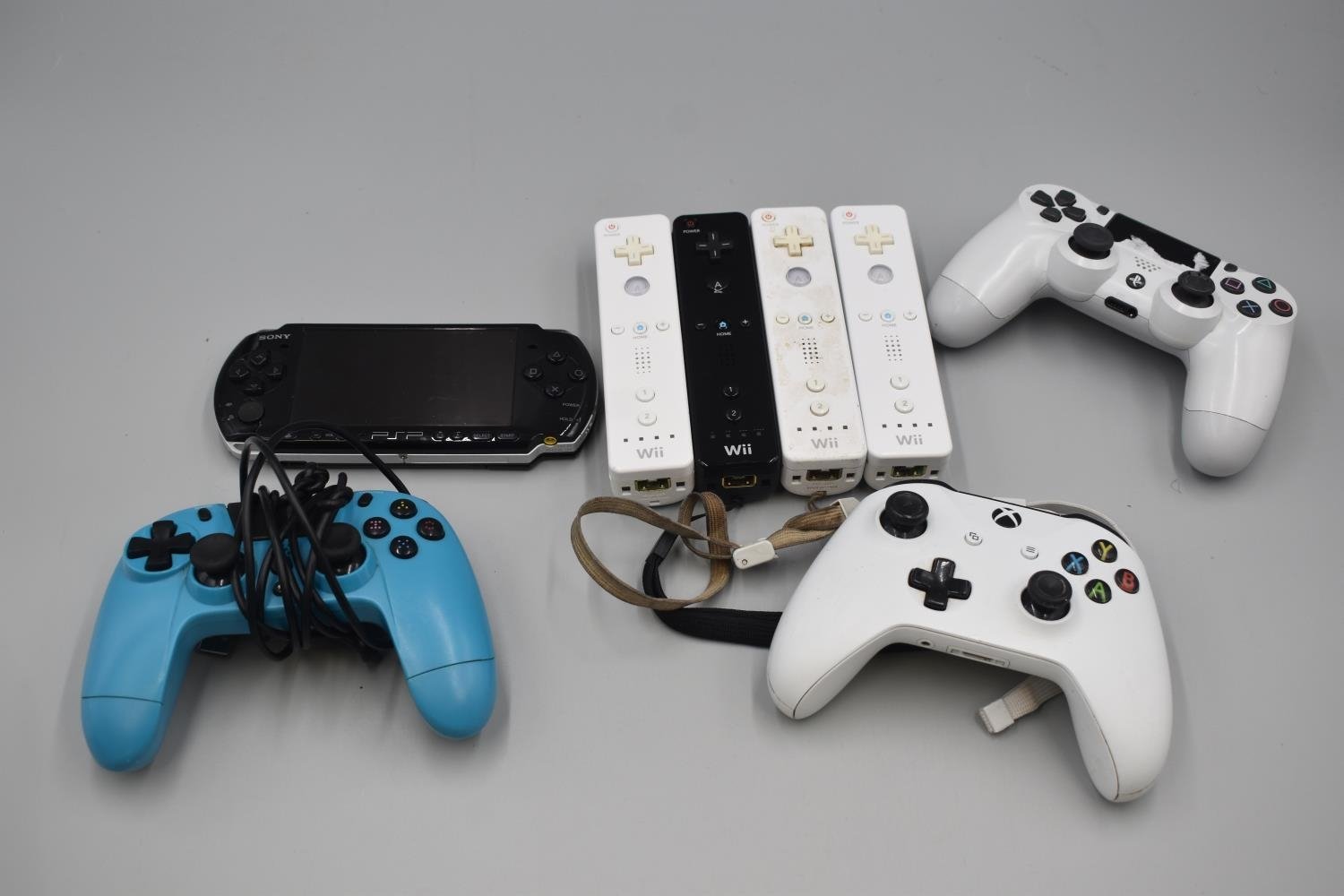
Stick drift — where the analogue stick registers movement you’re not making — is endemic, especially on Switch Joy-Cons and older DualShock 4s. Test: open a game or the system calibration screen and watch whether the cursor/character moves with untouched sticks. Also test every button, both triggers (which wear fastest), and the rumble. A replacement controller costs £45–£65, so factor that in — or negotiate it off the price.
4. Overheating and fan noise
Ask the seller to run a demanding game for 10–15 minutes. The fan should be audible but not screaming; the console shouldn’t shut itself down (thermal shutdown = serious problem, often fixable with cleaning/repasting but a bargaining chip at minimum). Excessive dust in the vents suggests poor maintenance generally. A console that’s been “too loud so we kept it in a cupboard” has been cooked — walk away.
5. Accounts and parental locks
The seller must factory reset the console and remove their accounts in front of you — a console still logged into someone else’s account can be remotely locked or have purchases revoked. Also check for forgotten parental control PINs (common on family consoles) and, on Switch, that it’s unlinked from the previous owner’s Nintendo account. If buying remotely, get video confirmation of the reset.
The full physical inspection
- Ports: test every USB port and the HDMI output — wiggle the HDMI cable gently; a loose port means internal damage.
- Power supply: use the original PSU if included; third-party power bricks are a fire risk and a red flag about how the console was treated.
- Case condition: heavy scratches, dents, or a rattling interior suggest drops. Minor scuffs are fine and expected.
- Smell test (seriously): cigarette smoke permeates electronics and is near-impossible to remove; it also accelerates component degradation. If it smells like an ashtray, reconsider.
- Storage: check the drive size matches the listing (500GB vs 1TB matters), and on older consoles ask whether the drive has been upgraded — a replaced HDD with an SSD is a bonus.
- Included extras: count controllers, cables, and any games against the listing. Missing HDMI cables and power leads cost £10–£20 to replace — small, but they add up.
Where to buy (and what protection you get)
- CeX: tested in-store, 24-month warranty, slightly higher prices. The safest second-hand route — the warranty alone justifies the premium for expensive consoles.
- eBay: buyer protection covers “not as described”, wide selection, but you’re relying on the seller’s honesty for the ban check — message them and ask directly before bidding. Prices often the lowest.
- Facebook Marketplace / Gumtree: test in person before paying (non-negotiable), cash on collection, no fees — but zero protection if problems emerge later. Fine if you run the full checklist on the spot.
- Refurbished from manufacturers: Sony, Microsoft, and Nintendo all sell refurbished consoles with warranties — the sweet spot of price and safety when stock is available.
- Mates: the best source — you know the console’s history. Still run the checks; friendship survives a 10-minute test.
Know your rights: under the Consumer Rights Act, business sellers (including CeX and eBay shops) must sell goods of satisfactory quality — you have 30 days to reject a faulty item. Private sellers only have to ensure the item matches its description, so “sold as seen, no returns” from a private seller is largely enforceable — another reason the in-person check matters. Citizens Advice has clear guidance on second-hand buying rights if something goes wrong.
The same careful-buying principles apply across second-hand tech — our refurbished MacBook guide covers the laptop equivalent, and if you’re selling your old gear to fund the purchase, read how to sell your old phone for cash (the same sites take consoles).
Price guide: what should you actually pay in 2026?
Second-hand console prices fluctuate with new releases and sales, but as a rough guide to fair private-sale prices in good condition with one controller:
- PS5 (disc): £280–£340 | PS5 Digital: £230–£280 | PS5 Slim: £320–£380
- Xbox Series X: £280–£340 | Xbox Series S: £160–£200
- Nintendo Switch OLED: £180–£230 | Switch (standard): £130–£170 | Switch Lite: £90–£120
- PS4 Pro: £120–£160 | Xbox One X: £100–£140 (both still fine for casual gaming)
Pay at the top of the range only for boxed, low-use examples with extras; the bottom for well-used but fully working units. Anything significantly below these ranges warrants extra suspicion (ban check doubly important), and anything above should make you compare against new — retailers regularly discount the Series S to £200 new, at which point second-hand makes no sense. Check CeX’s website for their current buying/selling prices as a live market reference before negotiating anywhere else.
The practical takeaway
Never buy without verifying: not banned from online services, disc drive healthy, no controller drift, no overheating, accounts fully removed — those five checks catch 95% of bad purchases. Buy from CeX or manufacturer-refurbished for warranty peace of mind, or buy private/in-person only after running the full physical inspection. And remember the rights difference: business sellers owe you working goods; private sellers owe you only what was described. Check first, pay second, play happily ever after.