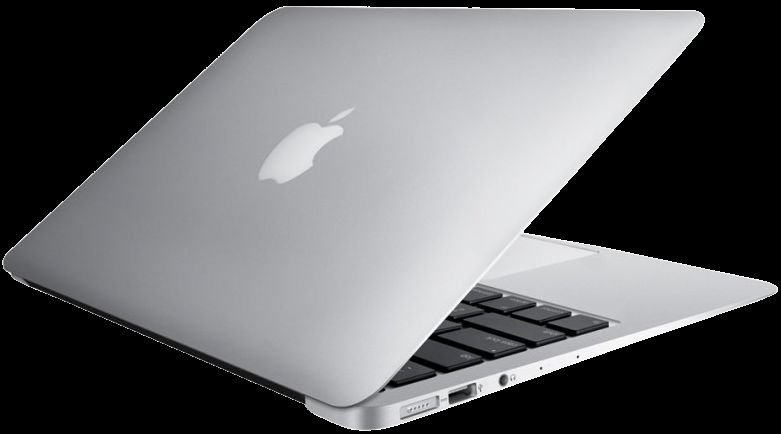
A brand-new MacBook Air starts at £999 in the UK, which is a properly serious amount of money — the kind you think about for weeks before committing. So when a friend told me she’d picked up a two-year-old MacBook Pro for £550 and it felt indistinguishable from new, I was sceptical. Then I borrowed it for a weekend. Reader, I could not tell. That sent me down the rabbit hole of the refurbished MacBook UK market, and what I found is that — with a few important caveats — buying refurbished is one of the smartest tech purchases you can make right now.
The short answer to “is it worth it”: yes, usually — you typically save 15–40% versus new, MacBooks hold their value and performance far longer than most Windows laptops, and Apple’s own refurbished store is genuinely excellent. But the market has tiers, from pristine manufacturer-refurbished machines to eBay gambles, and knowing which tier you’re buying from matters enormously.
Refurbished MacBook UK: where to buy, ranked
1. Apple Refurbished Store — the gold standard
Apple’s own certified refurbished store is where I’d send anyone who asks. Every machine gets a new outer shell and battery, full testing, the latest OS, and — crucially — the same one-year warranty as a new Mac, with AppleCare+ available. Savings are typically 15–25% off new. Stock fluctuates daily, so check back if your model isn’t there. For peace of mind per pound, nothing beats it.
2. Back Market and reputable refurb specialists
Back Market is the biggest dedicated refurbished marketplace in the UK, with graded condition listings (Fair, Good, Excellent) and a minimum 12-month warranty. Prices undercut Apple by another 10–15%, and the grading is generally honest — “Good” usually means light marks on the casing, invisible in a sleeve. Similar specialists like musicMagpie, Envirofone, and Tier1 include solid warranties too. Always check the battery health guarantee: reputable sellers promise 80%+ capacity.
3. High-street retailers’ refurbished sections
Currys, John Lewis, and Amazon’s “Renewed” programme all sell refurbished Macs with proper return windows. Prices sit between Apple and Back Market. The advantage is convenience — easy returns if anything’s off, and John Lewis’s customer service is genuinely good if there’s a dispute.
4. eBay / Facebook Marketplace — the wild west
The cheapest option and the riskiest. Private sellers offer no warranty, and MacBooks have specific traps: Activation Lock (a stolen or improperly wiped Mac is a brick — always verify it’s signed out of iCloud before paying), worn batteries (£150+ to replace), and butterfly-keyboard-era models (2016–2019) with their infamous keyboard failures. If you go this route, meet in person, boot it up, check battery cycle count (System Settings > Battery), and run Apple Diagnostics (hold D at startup). The savings over Back Market rarely justify the risk for most buyers.
Which models are worth buying refurbished?
This matters more than where you buy. The dividing line is Apple Silicon:
- M1, M2, M3, M4 Macs (2020 onwards) — buy with confidence. These chips are so far ahead of the old Intel models that even a 2020 M1 MacBook Air still feels fast in 2026, sips battery (15–18 hours real use), and will get macOS updates for years. A refurbished M1 Air at £450–£550 remains, pound for pound, one of the best laptop deals in existence.
- Intel Macs (2019 and earlier) — generally avoid now. They’re cut off from the latest macOS versions, run hot, and have poor battery life by modern standards. The only exception is if you need Boot Camp Windows or specific Intel-only software — a niche case.
- Check the RAM. 8GB is workable; 16GB is worth paying extra for if you keep machines for years. Unlike some Windows laptops, MacBook RAM can’t be upgraded later — what you buy is what you’re stuck with, so this decision matters. (Related reading: how long a laptop should last.)
The checks to run before you commit
- Battery cycle count and health: under 300 cycles and 85%+ maximum capacity is healthy. Over 800 cycles means a replacement is on the horizon.
- Keyboard and trackpad: test every key, check the trackpad clicks evenly across its surface.
- Screen: display a pure white image and a pure black image fullscreen; look for dead pixels, discolouration, or the “staingate” anti-reflective coating wear that plagued some 2015–2017 models.
- Ports and camera: plug something into each port, make a test FaceTime call.
- Activation Lock: System Settings > [name] — the previous owner must be fully signed out. Non-negotiable.
- Speakers and fans: play audio, run something demanding, listen for rattles or screaming fans.
Buying second-hand tech always rewards the careful — our checklist for checking a second-hand games console follows the same principles, and if you’re upgrading from an old machine, don’t forget you can offset the cost via selling your old phone for cash too (the same sites take laptops).
Which? maintains independent MacBook reviews and reliability data that are worth checking before you choose a model — their owner surveys are particularly revealing about which generations age gracefully.
What about chargers and the small print?
A few practical details that catch buyers out. First, chargers: Apple Refurbished includes a genuine Apple charger in the box; marketplace sellers vary — some include third-party chargers, some include none at all. A genuine Apple 67W charger costs around £50 new, so factor that in when comparing a suspiciously cheap listing against a proper refurb. Cheap counterfeit chargers are also a genuine fire risk, so this isn’t the place to economise.
Second, keyboard layout: grey imports sometimes come with US keyboards (no £ sign above the 3, smaller Enter key). Always confirm it’s a UK layout before buying — relearning muscle memory is miserable. Third, check the return window: 14 days minimum is standard for business sellers under UK distance-selling rules, and reputable refurb specialists often offer 30 days. Use that window properly — run the machine hard for a fortnight, test everything twice, and don’t be shy about sending back anything that isn’t right.
The practical takeaway
A refurbished M-chip MacBook from Apple Refurbished or Back Market is, for most people, a better buy than a new Windows laptop at the same price — you get premium build, a superb screen and trackpad, all-day battery, and years of updates for 15–40% less than new. Stick to Apple Silicon models, buy from a seller offering at least a 12-month warranty, verify the battery health, and confirm Activation Lock is off. Do those four things and you’ll wonder why anyone pays full price.