Every month, millions of people watch other people play video games — and a small fraction of those broadcasters turn it into a living. Game streaming looks effortless from the outside: someone plays games, chats to a camera, and gets paid. The reality, as with most things that look effortless, is a mix of accessible technology, genuine skill, and a business model that rewards consistency over talent.
This guide explains what starting a game streaming channel actually involves in 2026: the real equipment costs, how the platforms work, how streamers actually make money, and the honest odds of success. Whether you dream of going full-time or just want to share games with friends, here is the complete beginner’s picture.
What a Streaming Channel Actually Is
Strip it to basics: a game streaming channel is a live broadcast of you playing games, typically with your voice (and often your face) layered over the gameplay, streamed in real time to viewers who watch and interact through chat. The dominant platforms are Twitch (the specialist, gaming-first) and YouTube (the giant, with gaming as one vertical among many). TikTok Live and Kick are smaller alternatives with different audiences and economics.
The key distinction beginners miss: streaming is live entertainment, not content publishing. A YouTube video can be edited, reshot, and perfected; a stream is improvised for hours. That is why personality and consistency matter more than production polish — viewers come for the person as much as the gameplay. The streamers who last are rarely the best players; they are the most watchable ones.
The Real Equipment Costs (2026)
The barrier to entry is lower than the gear-obsessed forums suggest. The honest tiers:
£0 — start with what you have. A console (PS5/Xbox) streams directly to Twitch or YouTube with no extra hardware — built-in broadcasting handles everything. A gaming PC can stream with free software (OBS Studio) and a headset you already own. Your first streams can cost literally nothing, and they should: validate that you enjoy it before spending.
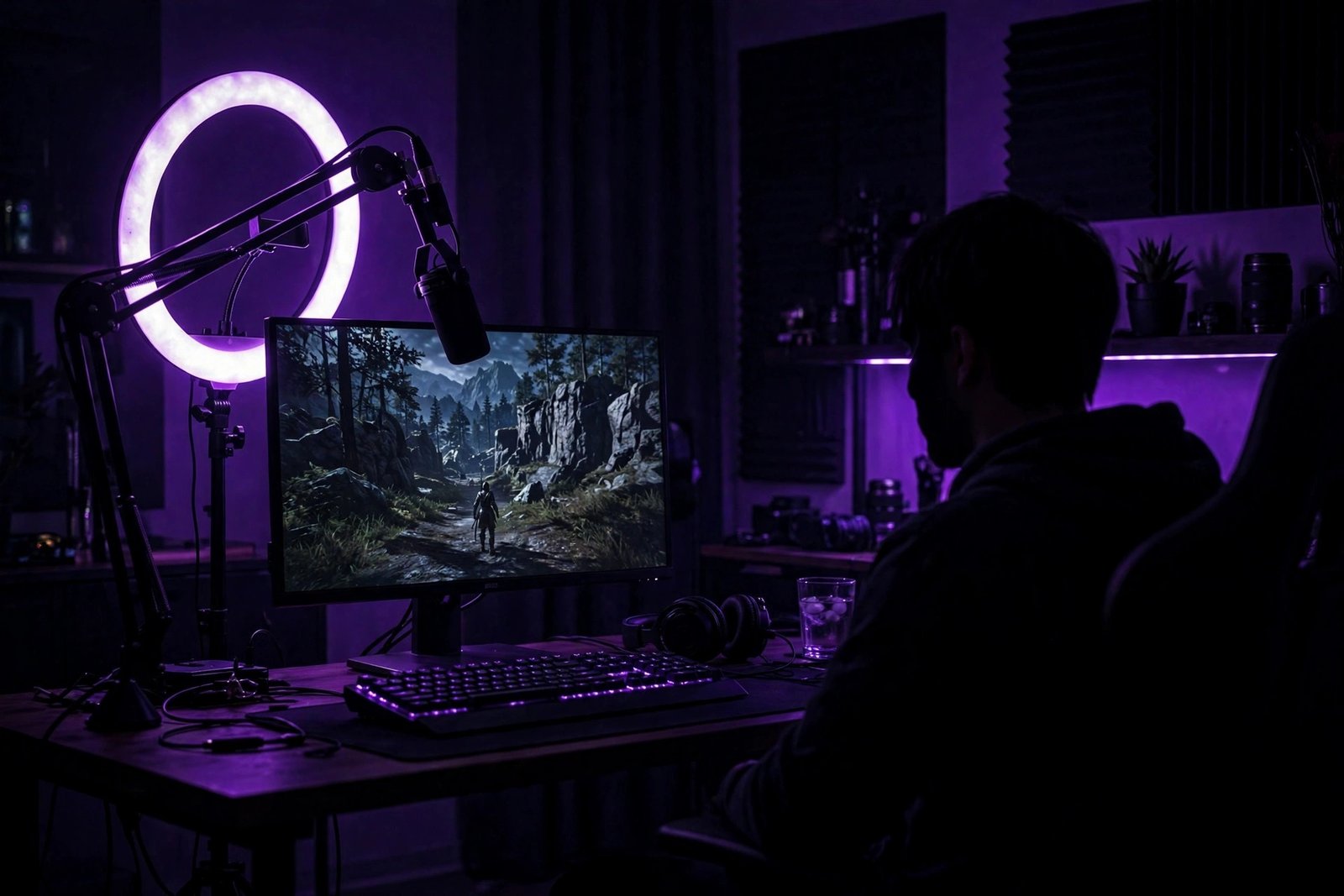
£100–£300 — the sensible upgrade. This is where most committed beginners land: a decent USB microphone (£60–£120 — audio quality matters more than video quality for retaining viewers), a webcam (£40–£80), and lighting (£20–£40). A second monitor (£80–£150) for reading chat while playing is the single biggest quality-of-life upgrade.
£500+ — the enthusiast setup. XLR microphone with audio interface, DSLR-as-webcam, stream deck, acoustic treatment. This tier is for established streamers reinvesting earnings, not beginners. The Twitch Creator Camp — the platform’s own free education hub — explicitly advises starting simple and upgrading with revenue.
How the Platforms and Money Actually Work
Streaming income comes from five sources, and beginners should understand all five before starting. Subscriptions: viewers pay monthly (£3.99–£19.99 tiers on Twitch) for perks; the streamer keeps roughly half. Donations/tips: direct viewer payments during streams — unpredictable but real. Ad revenue: small per-viewer amounts that only matter at scale. Sponsorships: brands pay established streamers to promote products — the big money, but gated behind audience size. Affiliates and merch: commission links and branded products.
The honest maths: Twitch’s Affiliate programme (the first monetisation tier) requires 50 followers and modest viewership averages — achievable in a few months of consistent streaming. But Affiliate-level income is typically £20–£100 a month: pocket money, not a living. Full-time income generally requires hundreds of concurrent viewers, which takes most streamers one to three years of near-daily broadcasting. YouTube’s creator monetisation works differently — ad revenue plus memberships — with similar scale requirements.
The Schedule Reality Nobody Advertises
Here is the part that filters out 95% of aspiring streamers: the algorithm rewards consistency above all. Streaming twice a week for three hours builds an audience; streaming “whenever I feel like it” builds nothing. Most successful streamers broadcast 4–6 days a week, 3–5 hours per session, for months before meaningful growth. That is a part-time job’s hours for a hobbyist’s pay — which is why the only sustainable motivation is genuinely enjoying the process.
Discoverability is the structural challenge. Twitch’s directory is brutally top-heavy: a handful of channels capture most viewers, and new streamers start at the bottom of long category lists. The streamers who break through almost always grow off-platform first — TikTok clips, YouTube highlights, community building on Discord — then funnel viewers to live streams. Streaming alone, with no promotion, is shouting into a void. Plan for content beyond the stream from day one.
Starting This Weekend: The Practical Checklist
Day 1: choose your platform (Twitch for community, YouTube for discoverability), create the channel, and define your niche — not “I play games” but “cozy indie games with a calm vibe” or “ranked grind with educational commentary.” Specificity is discoverability. Day 2: install OBS Studio (free), run a test stream, watch the recording, and fix the obvious: audio levels, lighting, layout. Week 1: stream three times on a fixed schedule, tell no one you are “launching” — just start. Month 1: clip your best moments for TikTok/YouTube Shorts; this is your growth engine. Month 3: assess honestly. Are you enjoying it? Is anyone watching? Adjust or walk away — both are valid.
Technical note: streaming is demanding on internet upload speeds and PC resources. If your setup struggles, the same principles behind streaming smoothly to your TV apply — stable bandwidth matters more than raw speed. And choose games you will still love in six months; casual-friendly games often make better starter content than punishing competitive titles.
The Part-Time Streamer: A Realistic Middle Path
Not everyone wants to go full-time, and the happiest streamers are often the part-timers. Streaming two or three evenings a week to a small, loyal community — 10 to 30 regulars who know each other by name — delivers most of the joy (shared laughs, inside jokes, the buzz of a good session) with none of the grind. These channels rarely make meaningful money, and that is the point: freed from growth pressure, part-timers play what they love, stream when they feel like it, and keep gaming fun. If the full-time dream feels like a job you would not apply for, the part-time path is not settling — it is choosing the version of streaming that actually fits a life with work, family, and other interests.
The Bottom Line
Starting a game streaming channel costs £0, takes a weekend to launch, and demands months of consistent effort to grow. The technology is the easy part; the hard parts are showing up on schedule, being watchable for hours, and promoting yourself off-platform. Go in with honest expectations — it is a marathon hobby that might become income, not a shortcut to it — and you will either build something real or learn invaluable broadcasting, community, and content skills. Both outcomes beat never starting.
Frequently Asked Questions
How much does it cost to start streaming games?
£0 if you have a console or gaming PC — both stream with built-in tools or free software like OBS Studio. A sensible beginner upgrade (microphone, webcam, lighting) costs £100–£300.
How long before a streaming channel makes money?
Most streamers reach the first monetisation tier (a few dozen pounds monthly) within 3–6 months of consistent streaming. Full-time income typically takes 1–3 years and requires hundreds of regular viewers.
Twitch or YouTube for a new streamer?
Twitch has the stronger live community culture; YouTube offers better discoverability through search and recommendations. Many new streamers multistream or use YouTube Shorts/TikTok clips to feed a Twitch channel.
Do I need to be good at games to stream?
No — entertainment value beats skill. Some of the most-watched streamers are mediocre players with great personalities. What matters is being watchable: commentary, humour, community interaction.
What internet speed do I need for streaming?
A stable upload speed of at least 6–10 Mbps for 1080p streaming. Stability matters more than headline speed — wired ethernet beats Wi-Fi for reliability.