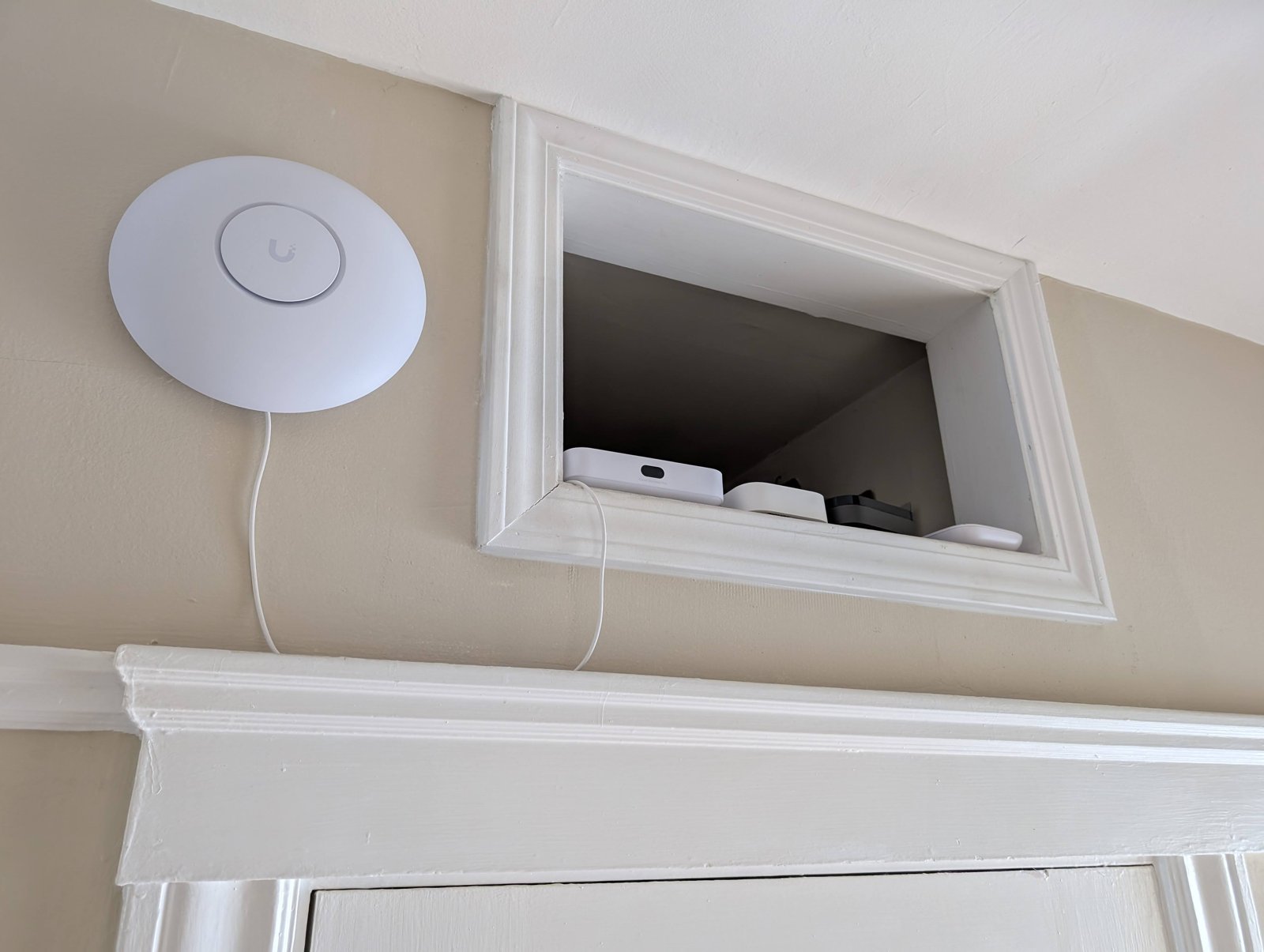
You know the drill: the WiFi downstairs is perfectly nippy, but the moment you climb into bed and open Netflix, the little fan of doom appears and the video drops to a blurry mess that looks like it was filmed through a jam jar. Slow WiFi upstairs is one of the most common complaints I hear, and it’s also one of the most fixable — because the problem is rarely your broadband speed. It’s almost always about how that signal travels through your house.
Before spending a penny, it’s worth understanding what’s actually happening. WiFi signals weaken with distance and get murdered by certain building materials. A router in the hallway downstairs has to push its signal up through a ceiling, possibly through a solid wall or two, and past a hot water tank or a mirrored wardrobe — all of which are WiFi kryptonite. The good news: there’s a fix for every one of these problems, roughly in order of cost.
Slow WiFi upstairs bedroom: the free fixes to try first
1. Move the router (yes, really)
This is the single highest-impact free fix. Routers get shoved in corners, behind the TV, or in the under-stairs cupboard where the engineer left them — all terrible spots. Move yours to a central, raised, open position: on top of a bookshelf in the middle of the house beats tucked behind the sofa every time. Even moving it from the floor to a shelf can make a measurable difference upstairs. Keep it away from microwaves, baby monitors, and thick stone walls.
2. Split the bands or steer your devices
Most routers broadcast two networks: 2.4GHz (slower, travels further, penetrates walls better) and 5GHz (faster, shorter range). Upstairs, your devices may be clinging to a weak 5GHz signal when the 2.4GHz one would actually be more stable. In your bedroom, try manually connecting to the 2.4GHz network — for browsing and streaming it can paradoxically feel faster because it’s not constantly dropping. Alternatively, check if your router has “band steering” or “smart connect” and toggle it.
3. Restart and update the router
The IT crowd’s favourite advice exists for a reason. A proper restart (off at the wall for 30 seconds, not just the button) clears memory leaks that accumulate over months. While you’re at it, check for a firmware update in the router’s admin page — manufacturers quietly fix performance bugs all the time.
4. Reduce the competition
Twenty smart bulbs, two doorbells, a robot vacuum, and four phones all chattering on the same WiFi creates congestion. You don’t need to disconnect anything permanently, but be aware that the 2.4GHz band in a dense terrace or flat block is a traffic jam — your neighbours’ routers are part of the problem too. A WiFi analyser app (free on Android) shows which channels are congested; switching your router to a quieter channel can help.
When free fixes aren’t enough: the paid upgrades
Mesh WiFi systems — the real solution
If I could recommend one purchase for big or awkwardly-shaped houses, it would be a mesh WiFi system. Unlike old-fashioned extenders (which halve your speed and create fiddly separate networks), mesh nodes work as one seamless network. Put one node downstairs near the router and one on the landing upstairs, and the bedroom gets a strong signal relayed cleanly. Decent two- or three-packs from TP-Link Deco, Amazon Eero, or Google Nest start around £80–£150, and the difference is genuinely transformative — I installed one for my parents and the “WiFi doesn’t reach the back bedroom” complaint vanished overnight.
Powerline adapters — the secret weapon for solid walls
For houses with thick Victorian walls that eat WiFi for breakfast, powerline adapters send the internet through your electrical wiring instead of the air. Plug one in near the router, one in the bedroom, and you’ve got a wired-quality connection upstairs for £30–£60. They don’t work well across different ring mains or in very old wiring, but when they work, they’re brilliant.
A better router
The free router your ISP sent you is built to a price, not a standard. If it’s more than four or five years old, a modern third-party router (£80–£150) with WiFi 6 will handle more devices and push signal further. This pairs well with our broader guide to setting up a home office WiFi network that actually works if you’re working from that upstairs bedroom too.
Check the actual problem before you spend
Run a speed test (fast.com or speedtest.net) next to the router, then run it again in the bedroom. If the router-adjacent speed is fine but the bedroom is dreadful, it’s a coverage problem — mesh or powerline is your fix. If it’s slow everywhere, it’s a broadband problem, and no amount of mesh wizardry will help — in which case read which broadband provider is most reliable, particularly if you’re rural.
Also worth knowing: WiFi-dependent gadgets like video doorbells suffer most from weak upstairs or far-room signals, so fixing coverage often fixes those too — see which video doorbell works best with a UK terraced house if yours keeps dropping its connection.
Ofcom publishes practical advice on improving home WiFi on its website, and Which? regularly lab-tests mesh systems and extenders so you can compare real-world performance rather than marketing claims.
Should you upgrade to WiFi 6E or WiFi 7?
You’ll see routers advertising WiFi 6E and WiFi 7 with great fanfare and greater price tags. Here’s the honest assessment: WiFi 6 is the sweet spot for almost everyone in 2026 — it’s mature, affordable, and handles dozens of devices well. WiFi 6E adds a 6GHz band that’s fast but short-range (ironic for an upstairs-bedroom problem — 6GHz barely penetrates one wall, let alone a floor). WiFi 7 is genuinely impressive on paper but remains expensive, and you’d need WiFi 7 devices to benefit — most phones and laptops don’t have it yet.
The exception: if you’re buying a mesh system anyway and the WiFi 6E/7 version is only £20–£30 more, it’s reasonable future-proofing. But don’t expect a new standard alone to fix a coverage problem — a well-placed WiFi 6 mesh node upstairs will outperform a single flagship WiFi 7 router stuck in the hallway cupboard every single time. Placement beats specification.
The practical takeaway
Work the problem in this order: move the router somewhere central and high, try the 2.4GHz band in the bedroom, restart and update, then test speeds at the router versus the bedroom. If it’s a coverage gap — and it usually is — a mesh system (£80–£150) or powerline adapters (£30–£60) will fix it properly, where a cheap extender never quite will. Most upstairs WiFi problems are solved in an afternoon for under a hundred quid, and the bliss of buffer-free bedtime streaming is absolutely worth it.