“Hello, this is BT Technical Department calling about your internet.” No it’s not, “Kevin from Manchester” — it’s a call centre in another country, and the only thing wrong with my internet is this conversation. Spam and scam calls have exploded in the UK, with millions of nuisance calls made every month, and they disproportionately target older and vulnerable people. The good news: you can block spam calls on your mobile for free using tools already built into your phone, plus a few free registrations that cut the legal-but-annoying calls too. Here’s the complete playbook.
Block spam calls free: the built-in blockers
iPhone: Silence Unknown Callers
The single most effective free setting on iPhone: Settings > Phone > Silence Unknown Callers. Calls from numbers not in your contacts go straight to voicemail without ringing — you’ll see them in Recents, so you can call back if it was the GP surgery. Genuine callers leave voicemails; scammers don’t. This one toggle eliminates 90%+ of nuisance calls overnight. The trade-off: you’ll miss the occasional legitimate call from an unknown number (delivery drivers, new contacts), so check voicemail and Recents daily until you’re used to it.
Android: spam protection and call screening
Google’s Phone app (default on Pixels, available free on most Androids) has Caller ID & spam protection under Settings > Caller ID & spam — turn on “Filter spam calls” and suspected spam never rings at all. Pixel phones go further with Call Screen: Google Assistant answers unknown callers, asks who’s calling, and shows you a live transcript so you decide whether to pick up. Watching a scammer hang up on a robot is one of life’s small pleasures. Samsung’s Smart Call offers similar spam identification — enable it in the Phone app settings.
Manually blocking repeat offenders
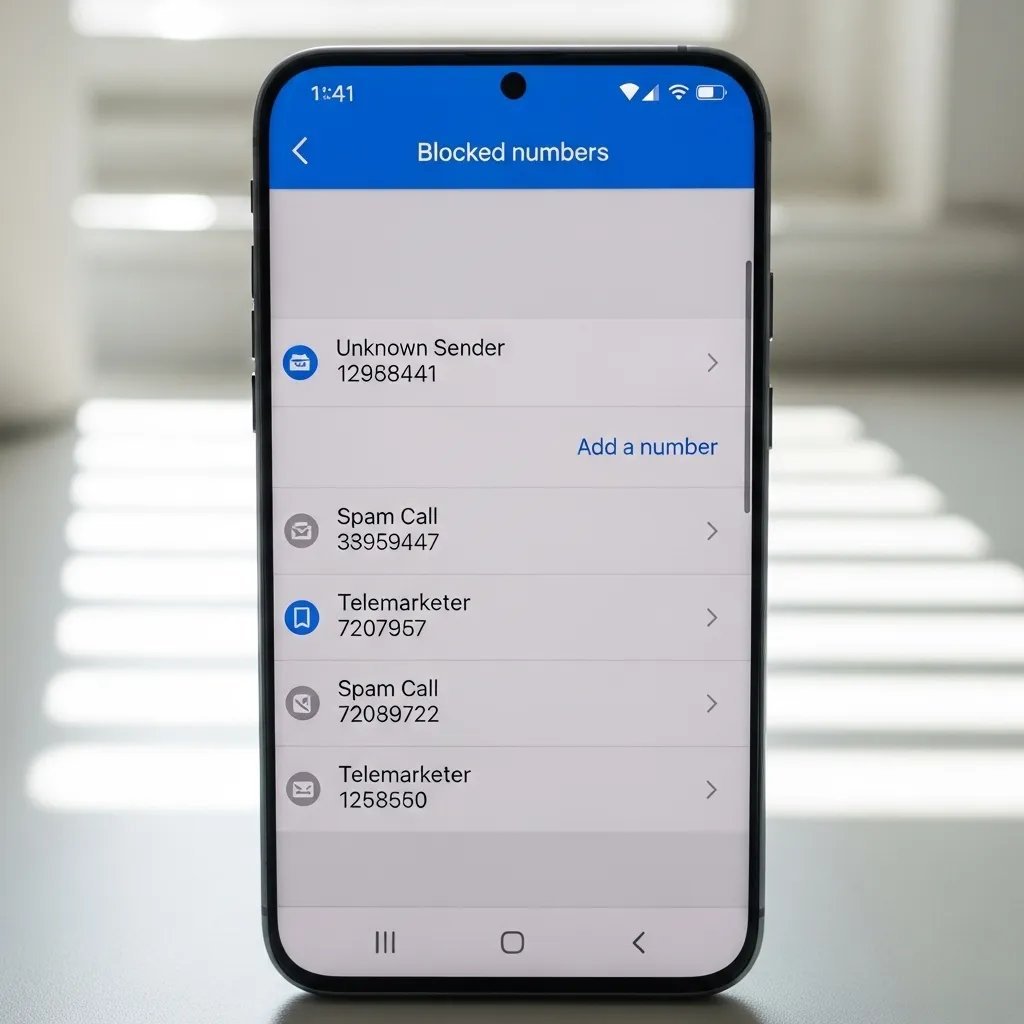
For numbers that keep calling: tap the number in Recents, hit Block. It takes five seconds and it’s permanent. Scammers rotate numbers constantly, so this is whack-a-mole rather than a solution — but combined with the settings above, it keeps the stragglers out.
Cut the legal nuisance calls: register with the TPS
Not all nuisance calls are scams — many are legal-but-unwanted sales calls from UK companies. The Telephone Preference Service (tpsonline.org.uk) is the free official opt-out register: once your number’s listed (takes up to 28 days to take full effect), UK companies are legally barred from making unsolicited sales calls to you. Register every number in the household, including mobiles. It won’t stop scammers (criminals don’t check opt-out lists, funnily enough) or overseas callers, but it meaningfully reduces the “we’re calling about your PPI/accident/loft insulation” brigade.
While you’re at it, when any company asks for your phone number, untick the marketing consent box — the pre-ticked ones are the reason your number ends up on calling lists in the first place. And be cautious about entering your number in online competitions and quote forms; that’s where data gets sold.
Your network’s free tools
The UK networks have quietly built decent spam defences — check yours:
- EE/BT: free spam call alerts that flag suspected nuisance numbers on your screen before you answer.
- O2: “Call Defence” identifies and can block suspected spam.
- Three: partners with screening services; check the Three app for call-protection options.
- Vodafone: spam detection built into its network-level filtering.
These are free and worth enabling in your network’s app — they catch things the phone-level blockers miss, since they see patterns across millions of calls.
When it’s a scam: report it
Blocking protects you; reporting protects everyone. If a call was clearly a scam:
- Forward scam texts to 7726 (free) — it spells SPAM on the keypad, helpfully. Your network investigates and the data feeds industry-wide blocking.
- Report scam calls to Action Fraud (actionfraud.police.uk) — especially if you lost money or nearly did.
- Complain about nuisance sales calls to the ICO at ico.org.uk — the regulator can and does fine companies millions for illegal calling.
- Tell vulnerable relatives about all of the above. The single most protective thing you can do for an elderly parent is enable Silence Unknown Callers / spam filtering on their phone and explain that their bank will never call asking for passwords.
Scam calls are often the follow-up to data breaches — criminals call with details leaked from hacks to sound convincing. If you’re getting suspiciously well-informed scam attempts, it’s worth running through how to check if your email was in a data breach. And the same scepticism applies online: how to tell if a website is safe covers the web equivalent.
Why smart people fall for phone scams
It’s comforting to think only the naive get scammed, but the data says otherwise — doctors, engineers, and IT professionals lose money to phone scams every year. The reason is that modern scams don’t rely on stupidity; they rely on psychology. The caller creates urgency (“your account will be frozen in 30 minutes”), authority (“this is HMRC / your bank’s fraud team”), and fear — a cocktail that bypasses rational thinking and triggers compliance. Add spoofed caller ID showing your bank’s real number, plus personal details from a data breach to sound legitimate, and the trap is genuinely sophisticated.
The defence isn’t intelligence — it’s procedure. Make a household rule, discussed in calm times: we never act on financial instructions from an incoming call, full stop. The bank calls? “Thanks, I’ll call back on the number on my card.” HMRC threatens arrest? HMRC doesn’t do that — they write letters. A relative in distress needs money wired urgently? Call them back on their known number first; voice-cloning scams targeting grandparents are rising fast. Decide the procedure now, while no one’s scared, and scams lose their power — because the trick only works when you’re deciding under pressure.
The practical takeaway
Do these four things today, free: enable Silence Unknown Callers (iPhone) or spam filtering (Android), register every household number with the TPS, switch on your network’s spam alerts, and start forwarding scam texts to 7726. That combination eliminates the vast majority of nuisance calls. For the rest — the occasional scammer who gets through — remember the golden rule: never trust an incoming call about money, accounts, or “technical problems”, however convincing. Hang up, look up the real number independently, and call back. The five minutes of caution beats months of fraud recovery.