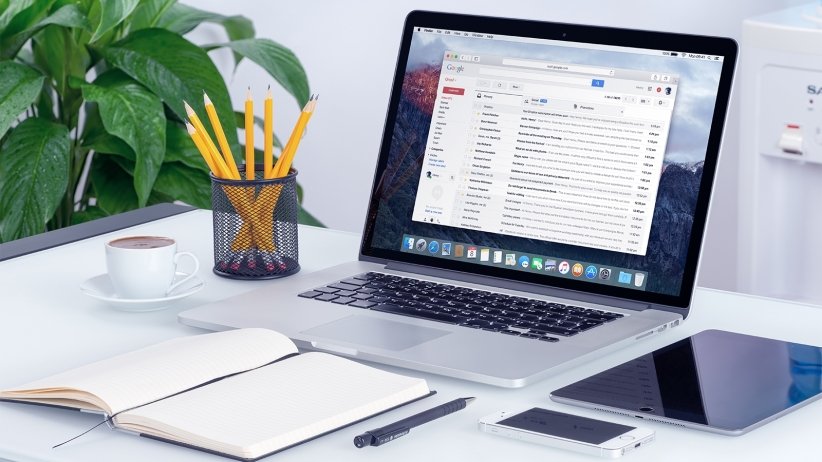
Learning how can ai help me organise my emails and calendar addresses the quiet chaos of modern working life: the 200 unread emails, the double-booked meetings, the “sorry, missed this” messages. I used to lose an hour a day to inbox triage before I set up AI assistance properly. Now the important stuff surfaces, the routine stuff handles itself, and my calendar mostly runs without me thinking about it. Here’s the practical setup.
The principle: AI is brilliant at the pattern-matching drudgery of inbox and calendar management — sorting, drafting, scheduling, summarising — and terrible at the judgement calls. So you automate the former and keep the latter.
How can AI help me organise my emails and calendar?
1. Taming the inbox
- Smart prioritisation: Gmail’s and Outlook’s AI already sorts promotional mail, flags important messages, and suggests replies. Most people never configure these properly — spend 20 minutes in settings and the difference is dramatic. Turn on tabbed inboxes (Gmail) or Focused Inbox (Outlook) if you haven’t.
- AI drafting: “Draft a polite decline to this meeting invite” or “Reply confirming Tuesday, asking for the agenda.” You review and send — the 80% draft in 5 seconds beats the perfect email you never write. Copilot in Outlook and Gemini in Gmail do this natively now.
- Summarising threads: that 47-message thread you were cc’d on? “Summarise this thread and tell me what I need to do.” AI thread summaries are one of the highest-ROI features in modern email.
- Rules + AI: combine old-school filters (newsletters to a folder, receipts to another) with AI triage for the rest. The goal is an inbox where everything remaining genuinely needs you.
2. Calendar autopilot
- Scheduling assistants: tools like Reclaim.ai and Motion (free tiers available) automatically schedule your tasks around meetings, protect focus time, and reshuffle when things change. Tell it your priorities; it does the Tetris.
- Meeting booking: Calendly and its AI-assisted alternatives eliminate the “does Tuesday work?” dance — share a link, done. The AI versions handle time zones automatically, which pairs well with our guide to managing teams across time zones.
- Preparation briefings: “Summarise everything I need to know for tomorrow’s meetings” — AI pulls from emails, docs, and past meetings to brief you. Five minutes of reading replaces 30 minutes of scrambling.
- Follow-up automation: AI-drafted follow-up emails after meetings, with action items extracted from the transcript (see our meeting transcription guide).
3. The weekly review ritual
Technology alone won’t save you — the habit matters. Fifteen minutes every Friday:
- Ask AI to summarise the week’s key emails and decisions.
- Review next week’s calendar — anything to prepare, decline, or move?
- Clear the inbox to zero (or to a defined “to handle” list). The psychological relief is real.
The privacy caveat (important)
Email and calendar contain your most sensitive data — client confidences, financial details, personal appointments. Before granting an AI tool access:
- Prefer built-in tools (Copilot in Outlook, Gemini in Gmail/Workspace) over third-party apps with broad access — the data stays within ecosystems with enterprise-grade protections.
- Check what third-party tools store and for how long. Our AI privacy checklist walks through the verification.
- Work data: check your employer’s policy — many UK firms restrict which AI tools can access company email.
AI agents: the next leap (and what to watch)
Everything above is the present. The next wave — already arriving — is AI agents: systems that don’t just draft and summarise but act on your behalf. “Reschedule my Thursday meetings, book a dentist appointment, and draft the project update” — executed autonomously, with you approving the results. Microsoft’s and Google’s agents are beginning to do this within their ecosystems, and the trajectory points to a near future where much of the coordination overhead of work simply disappears.
The implications are worth thinking about now. Trust and verification: an agent that acts needs boundaries — which actions need approval, which don’t, and how do you audit what it did? Start conservative: read-only and drafting permissions first, actions later. Skills atrophy: if AI handles all your scheduling and correspondence, do you lose the organisational muscles? Probably somewhat — which is fine as long as you maintain the judgement to oversee the system. The human premium: as routine coordination gets automated, the value of genuine human connection in work rises. The colleague who actually knows you, the manager who notices you’re struggling — these become more precious, not less.
My advice: adopt the current tools fully (the ROI is immediate and proven), experiment cautiously with agents as they mature, and keep investing in the human skills — judgement, relationships, clear thinking — that no automation removes. The Microsoft support documentation for Copilot is the best free resource for going deeper on what’s possible in the Microsoft ecosystem; Google Workspace users should explore Gemini’s evolving capabilities similarly. The inbox will never be empty, but it can be managed — and that’s a bigger quality-of-life win than most people expect.
One more principle that underpins everything: touch it once. The reason inboxes become overwhelming isn’t volume — it’s re-reading. The average email gets opened 3–4 times before action, which means you’re paying the cognitive cost repeatedly. The touch-it-once rule: when you open an email, you either act (if under 2 minutes), schedule it, delegate it, file it, or delete it — but you don’t just close it and “come back later”. Combined with AI triage doing the sorting, this single discipline keeps even high-volume inboxes manageable. It’s not a technology fix; it’s a behaviour fix. But technology makes the behaviour dramatically easier to sustain.
Your practical takeaway
This weekend: configure your email’s AI sorting properly (20 minutes), set up a scheduling link, and try AI thread summaries on your three longest threads. Next week: run the Friday 15-minute review. The goal isn’t an empty inbox — it’s an inbox where you trust that nothing important is hiding, and a calendar that reflects your actual priorities. That’s worth more than any productivity app: it’s the feeling of being on top of your work instead of buried by it.